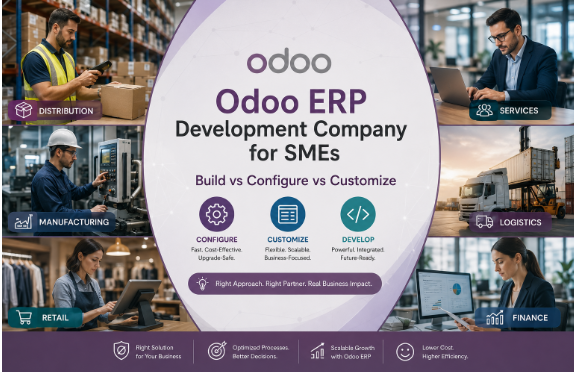
Custom development typically eats 20 to 30% of an Odoo implementation budget. On a $30,000 SME rollout, that’s close to $9,000 spent on code, and a meaningful share of it is usually paying for work that standard configuration could have handled for a fraction of the cost. The problem isn’t that Odoo ERP Development Company companies overcharge. It’s that most SMEs can’t tell, at the point of asking, which tier of work their request actually needs.
There are three real tiers, and confusing them is where budgets and timelines go sideways.
The Three Tiers, and What Each One Actually Costs You
Standard configuration means using Odoo the way it ships. Chart of accounts, approval flows, inventory rules, all set through the settings screens every implementation partner should know cold. This is fast, cheap, and upgrade-safe by default, because you’re not touching the underlying code Odoo maintains and updates for you.
Studio-level configuration is the next tier up. Odoo ERP Migration Studio lets you add custom fields, adjust views, build basic automated actions, and create simple reports without writing code. It’s still fast, usually billed at a lower rate than development work, and often bundled into implementation packages. Most of what SMEs think they need custom development for actually lives here.
Custom development is code. Real modules, written by a developer, for business logic Odoo doesn’t offer out of the box: complex automated workflows, API integrations with your other systems, non-standard security rules, reporting that pulls from places the built-in tools don’t reach. A simple custom automation might run $2,000. A complex integration or specialized workflow can run $15,000 or more. This is also the tier that creates upgrade risk down the line, which is the part most SMEs don’t find out about until they try to move to a new Odoo version.
The Test Before You Ask for Custom Work
Before you or your Odoo ERP development company writes a line of custom code, ask three questions in order.
Does standard configuration cover most of this? If the honest answer is “mostly, but not exactly how we do it today,” that’s usually a sign to change the process, not the software. Odoo’s default workflows exist because they work for a large share of businesses your size. The instinct to preserve an old spreadsheet-era process in code is where a lot of unnecessary spend starts.
Is this the thing that actually differentiates your business, or is it administrative overhead every company like yours has? A custom quoting engine tied to a proprietary pricing model you built your business on is worth the investment. A custom approval chain that just replicates what three clicks in standard Odoo would already do is not.
Will this survive an upgrade, or will someone have to rebuild it in two years? This is the question most SMEs skip entirely. Every custom module is code your team, or your partner, has to retest and often rewrite every time Odoo ships a new major version. Odoo has also introduced a 25% surcharge for staying on legacy versions, so the cost of not upgrading is climbing, not staying flat. Heavy customization and a hard line on upgrades don’t mix well, and Odoo ERP migration projects are where that tension usually surfaces first, sometimes years after the original build.
Where the Line Actually Sits
There’s no universal rule for where configuration ends and custom development should begin. It depends on your industry, your existing systems, and how much your operations genuinely differ from a standard business in your sector. A distributor with unusual multi-warehouse allocation logic has a real case for custom work. A services firm that just wants its invoices to look a specific way almost never does.
What’s consistent across SME implementations is the failure mode when this gets skipped: teams request custom development because it feels like the safer, more thorough choice, not because they’ve confirmed configuration can’t do the job. That instinct is understandable and it’s usually wrong. Firms like BiztechCS, working across manufacturing, distribution, and services businesses on Odoo, tend to spend the first weeks of a project talking clients out of customization requests more often than building them, and the SMEs who push back on that advice are usually the ones re-scoping the budget by month three.
If you’re planning an Odoo rollout, run every customization request through the three-tier test before it reaches a developer’s queue. At BiztechCS, that’s the discipline we bring to every Odoo ERP development and migration project, whether it’s a first implementation or a move off a legacy version.