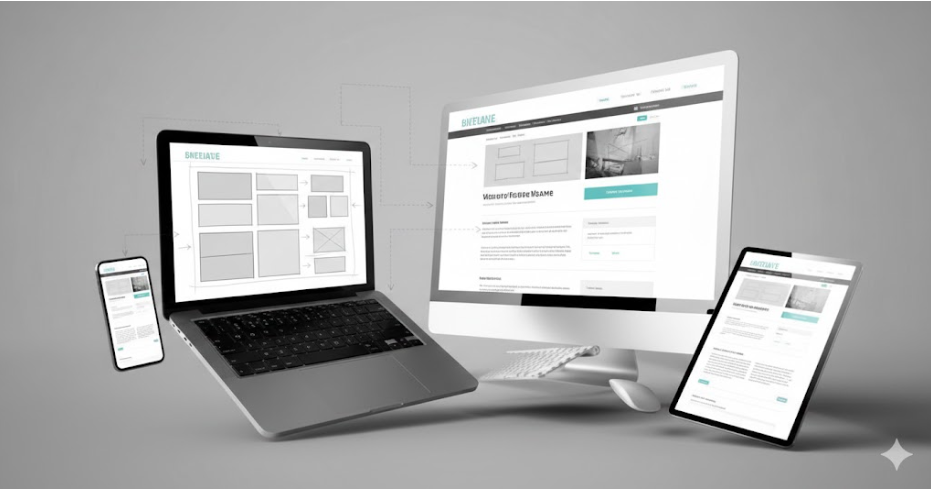
Wireframes are where the saving of projects happens, especially in professional workflows like WordPress Website Design Services . These are the blueprints that keep designers from creating pretty screens for weeks when no one asked for them in the first place.
They need to be considered as blueprints for websites. You wouldn’t construct a house without blueprints, for instance. But designers always go directly to Photoshop and then wonder why clients send numerous revisions.
This is why wireframing is important and how it can be done the right way.
What Are Wireframes?
Wireframes are “skeletons” of page layouts. Wireframes are blank page layouts with nothing but boxes, lines, and placeholders for text to show how things are arranged. Wireframes contain no
The models concentrate on three key points: structure, navigation, and content hierarchy. Then there is only “noise.” Designers work with basic shapes to symbolize menus, buttons, images, and text blocks without visual clutter.
Why Skip the Pretty Stuff Initially?
Visual design triggers emotional responses. Show a client a beautiful mockup with poor navigation, and they’ll focus on the wrong things. “I love the blue!” they’ll say, ignoring that users can’t find the checkout button.
Wireframes force functional discussions first. Does the layout make sense? Can users complete tasks easily? Is the content organised logically? Answer these questions before touching gradients or shadows.
This approach eliminates 60-70% of late-stage revision requests. Structural changes cost hours in the wireframe stage versus days in the final design stage.
What Gets Included in Wireframes?
Every wireframe should show:
- Page layout and grid structure
- Navigation menus and footer links
- Content blocks and their priority order
- Call-to-action button placement
- Form fields and input requirements
- Image placeholders with size indicators
What’s deliberately excluded? Brand colours, actual fonts, finished copy, stock photos, and visual styling. Those come later once the structure is approved.
How Wireframes Speed Up Design Projects
Time savings matter in web design. Wireframes cut project timelines by 30-40% compared to jumping straight to mockups. Here’s how that works in practice.
Faster Client Feedback Cycles
Clients review wireframes in minutes, not hours. Simple layouts are easy to understand. They see the structure instantly without getting lost in design details.
Compare this to full mockups. Clients spend 20 minutes discussing gradient angles while missing critical navigation flaws. Wireframes keep conversations focused on what actually matters—user experience and content flow.
Early Problem Detection
Wireframes reveal content gaps immediately. That “About Us” page needs 800 words, but you only have 200? You’ll know in the wireframe stage, not after designing a layout that doesn’t work.
Navigation issues surface early. Can users reach checkout in three clicks or fewer? Does the mobile menu make sense? These problems cost hours to fix in coded websites but minutes to adjust in wireframes.
Better Team Alignment
Designers, developers, and stakeholders all understand wireframes. They’re universal blueprints that don’t require design expertise to interpret.
Developers love wireframes. They see exactly what components they’ll need to build. No surprises during handoff about complex interactions that weren’t discussed earlier.
What Types of Wireframes Exist?
Three fidelity levels serve different project needs. Most projects use all three in sequence, though established design systems sometimes skip ahead.
Low-Fidelity: Quick and Dirty
These are rough sketches, paper drawings or basic digital boxes. Perfect for initial brainstorming when you’re exploring multiple layout options quickly.
Low-fi wireframes use grayscale only. Boxes represent images. Lines indicate text. Labels identify interactive elements. You can create five variations in an hour to compare approaches.
Mid-Fidelity: The Sweet Spot
Most projects live in mid-fidelity wireframes. These digital layouts add real content, annotations, and interaction notes while staying visually simple.
You’ll specify exact navigation labels, actual headlines, and real button text. Annotations explain hover states, click actions, and form validation rules. Developers can start building from these.
High-Fidelity: Almost There
High-fi wireframes incorporate brand fonts, accurate spacing, and near-final content. They resemble finished designs minus colours and images.
Use these for user testing when you need realistic layouts but aren’t ready for full visual design. They’re also useful for complex applications where interaction details matter more than aesthetics initially.
| Fidelity Level | Time to Create | Best For | Tools |
| Low | 30-60 min | Initial concepts | Paper, Balsamiq |
| Mid | 2-4 hours | Client approval | Figma, Sketch |
| High | 4-8 hours | User testing | Adobe XD, Figma |
The Wireframing Process Step-by-Step
Effective wireframing follows a clear sequence. Skip steps, and you’ll redo work unnecessarily.
Start With Information Architecture
Build a sitemap first. List every page your site needs. Organise them into logical groups and hierarchies.
This reveals the scope immediately. That “simple 5-page website”? It actually needs 12 pages once you account for service details, case studies, and legal pages. Better to know now.
Sketch Multiple Layout Options
Grab paper and draw 3-5 rough layouts for main pages. Don’t commit to one approach immediately. Explore different navigation styles, content arrangements, and hierarchies.
This rapid ideation phase takes 30-60 minutes but prevents tunnel vision. You’ll often discover your third or fourth sketch works better than your first instinct.
Create Digital Wireframes
Transfer approved sketches into wireframing software. Use actual content—real headlines, genuine body text, accurate navigation labels.
Lorem ipsum hides problems. That placeholder text fits perfectly in your wireframe, but the real 50-word headline breaks the layout? You’ll discover this frustration after design is complete if you skip real content now.
Critical Wireframing Rules
Follow these practices to maximise wireframe effectiveness. Break them, and you’ll waste the benefits wireframes provide.
Stay grayscale. Colour introduces bias. Clients fixate on aesthetics instead of structure. Use black, white, and grey only until wireframes are approved.
Use obvious navigation. Links should look like links. Buttons should look like buttons. This isn’t the place for clever invisible interfaces. Clarity beats creativity in wireframes.
Maintain consistency. Header height shouldn’t vary between pages. Button sizes should match. Spacing should follow patterns. Inconsistent wireframes lead to inconsistent final designs.
Mistakes That Kill Wireframe Value
These errors undermine the entire wireframing process. Most designers make at least three of them.
- Skipping wireframes entirely: “The project is too simple for wireframes.” Wrong. Even landing pages benefit from structured planning. You’ll spend 2 hours on wireframes or 10 hours fixing structural problems later.
- Over-detailing too early: Adding shadows, choosing exact photos, or picking precise fonts in wireframes wastes time. You’re designing twice—once in wireframes, again in mockups.
- Ignoring mobile layouts: Creating only desktop wireframes assumes responsive design magically works. It doesn’t. Wireframe every breakpoint or face nasty surprises during development.
- Using fake content everywhere: Lorem ipsum makes every layout look perfect. Real content reveals that your beautiful design doesn’t accommodate actual headline lengths or text volume.
- Designing in isolation: Wireframing alone, then presenting finished versions, guarantees revision cycles. Involve stakeholders during creation—not after completion.
The Bottom Line
Teams using wireframes consistently report 30–40% faster project completion. Why? Fewer late-stage revisions mean less rework. In professional website redesign services, wireframes act as a clear blueprint that keeps projects aligned from the start.
Client satisfaction improves measurably. Early structural approval prevents a disconnect between expectations and deliverables. When clients approve wireframes, they rarely hate the final designs.
Development runs more smoothly. Developers receive clear specifications about components, interactions, and responsive behaviour. Ambiguity during handoff drops dramatically.