We have all been there. You are five minutes into a crucial strategy call, and your laptop decides to initiate its takeoff sequence. The fans spin up to a deafening whine, your background blur starts glitching because the processor is throttling and suddenly, you are more focused on your hardware struggling than the client on the screen. Nobody wants to be in a deal compromising situation like this. This article explores how compact mini PCs are revolutionizing home office setups by offering superior cooling, multi-monitor support and reliable connectivity for glitch-free video conferencing.
Video conferencing has moved from a temporary necessity to the backbone of modern business communication. Yet, many of us are still relying on laptops that weren’t designed to handle the sustained thermal load of decoding high-definition video while sharing screens and running Slack in the background. This is most definitely going to overheat your average PC.
Enter the mini PC. These compact powerhouses are quietly revolutionizing the home office setup, offering a level of stability and performance that clunky towers and overheating laptops simply can’t match. Here are five reasons why swapping to a small form factor might just save your next meeting and maybe even your next deal.
1. The “Invisible” Desktop Aesthetic
The psychological impact of a cluttered workspace on focus is well-documented. Laptops require space for the keyboard (even if you use an external one) and often force you to look down, creating that unflattering “double chin” camera angle.
A mini PC offers a sleek solution: invisibility. Most models are VESA-mountable, meaning you can screw them directly onto the back of your monitor. This completely clears your desk, leaving room for a high-definition, high-quality external webcam, a proper microphone and your notepad. It creates a “floating” setup that looks professional and helps you maintain eye-level contact with the camera. Believe it or not, this is a subtle body language hack that builds trust during calls.
2. Silence is Golden (and Professional)
There is nothing worse than the sound of a jet engine interrupting your presentation. Laptops are notoriously bad at heat management. Why? Because when you tax the CPU with video encoding (Zoom/Teams) and multitasking, the small fans have to spin at maximum RPM to prevent a meltdown.
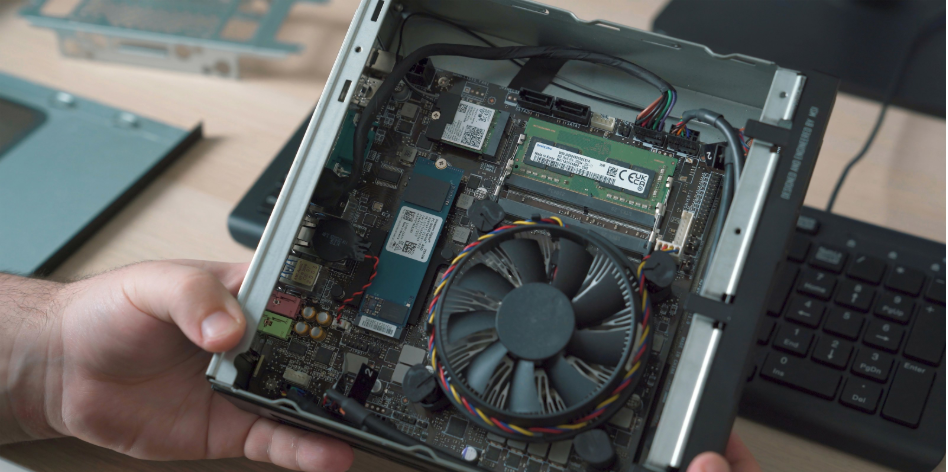
In contrast, high-quality mini PCs are designed with superior airflow and often utilize larger, slower-spinning fans (or passive cooling) that move heat efficiently without the excessive noise. This guarantees that your audio feed remains crystal clear, picking up your voice rather than the whir of your computer struggling to keep cool.
3. The Multi-Monitor “Command Center”
Effective video meetings require digital real estate. You need one screen for the video feed to read body language, another for the presentation you are sharing and perhaps a third for your notes or internal chat.
Most laptops struggle to drive more than one external monitor without expensive docking stations or significant lag. Mini PCs for video meetings are often built with this specific “command center” utility in mind. Brands like GEEKOM UK engineer their units with multiple HDMI or USB4 ports, allowing you to daisy-chain up to four 4K monitors effortlessly. This allows you to manage the flow of information seamlessly without constantly Alt-Tab-ing and losing your place.
4. Wired Reliability in a Wireless World
Wi-Fi is great for scrolling Instagram on the sofa, but for a high-stakes board meeting, it is a liability. Jitter, lag and dropouts are the enemies of professionalism. They are deal-breakers.
The problem with many modern ultrabooks is that they have sacrificed the Ethernet port on the altar of thinness. To get a hardwired connection, you are forced into “dongle hell.” Mini PCs, despite their small stature, rarely compromise on connectivity. They almost always feature full-sized Gigabit (or even 2.5Gb) Ethernet ports. Plugging directly into your router guarantees a stable, low-latency connection that guarantees your video remains crisp and your audio stays in sync, regardless of what the rest of the family is streaming in the living room.
5. Portability Meets Power
Hybrid work is the new norm. Nothing new there. You might be in the home office on Monday and Tuesday, but in a co-working space or the corporate HQ on Wednesday.
While laptops are portable, they are heavy and fragile. A mini PC is rugged and small enough to toss in a bag. If you have a workstation set up at both locations (monitor, mouse, keyboard), you effectively have a “bring your own device” boardroom solution that fits in your pocket. You simply plug in, and your entire suite of mini PCs for video meetings tools including your backgrounds, your OBS settings, your files are ready to go. It bridges the gap between the power of a desktop and the mobility of a laptop, guaranteeing you are always meeting-ready, wherever you plug in. Now you never have to worry about losing a business deal due to tech ever again.