AI Music
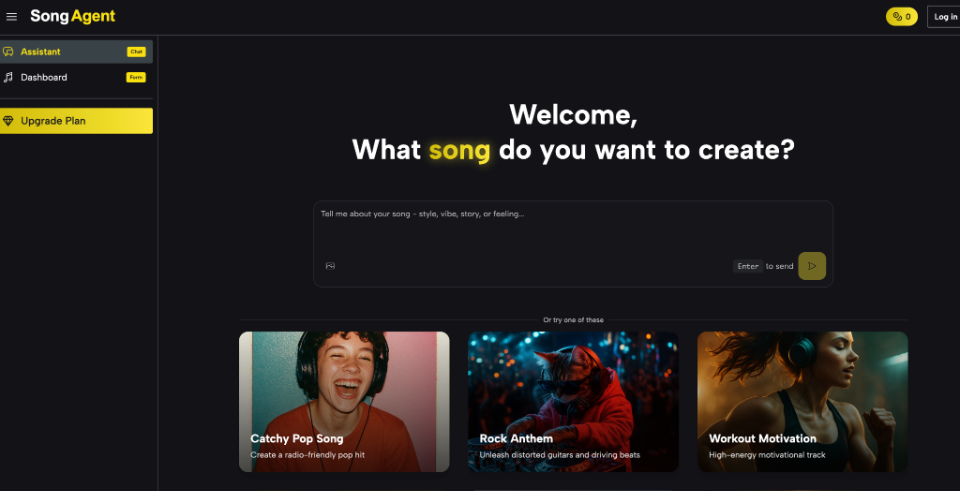
AI music products are easy to judge by a polished demo and surprisingly hard to evaluate in daily work. A useful test has to reveal what happens between the first prompt and the final file: how the system interprets instructions, exposes its plan, handles revisions, and delivers audio that fits an actual project.
The best starting point is a repeatable task rather than a feature checklist. Testing an AI Music Agent with the same brief, constraints, and review questions across several attempts makes the workflow visible. It also helps users separate a lucky first result from a process they can control.
Start With Repeatable Test Briefs
- Define One Real Deliverable
Choose a small output you genuinely understand, such as a podcast intro, a study loop, or background music for a one-minute product video. Specify the audience, mood, approximate role of the music, and whether vocals would interfere. A concrete deliverable gives every later judgment a practical reference.
- Record the Input Constraints
Write down the exact prompt and any settings before generation. SongAgent’s music interface includes Simple and Custom paths, an Instrumental choice, title and style fields, lyrics, and tags for elements such as genre, mood, voice, and tempo. Select only the controls relevant to the test. Changing everything makes results difficult to compare.
- Save the First Interpretation
Before approving generation, capture the musical blueprint or planning information presented by the system. Look for structure, instrumentation, key, tempo, and style choices. The point is not to decide whether the plan uses impressive terminology. It is to see whether the interpretation reflects the original brief and exposes assumptions you can correct.
- Use the Same Review Questions
After each output, ask whether the opening establishes the intended mood, whether the arrangement leaves room for speech, whether transitions are editable, and whether the ending resolves appropriately. Score the same criteria every time. Consistent questions reveal strengths and weaknesses more clearly than a general reaction such as “sounds good.”
- Run a Simple Blind Comparison
Export two versions with neutral file names and ask a colleague to listen without knowing which came first or which settings changed. Give the listener the original brief and three questions, then record only observable comments about fit, clarity, and structure. This is not a scientific study, but it reduces the tendency to prefer the newest render or the version that took more effort. If the listener consistently identifies the same weakness you noted, the revision target is clearer. If reactions conflict, return to the deliverable’s purpose instead of deciding by majority vote. The method is particularly helpful when a dramatic track sounds impressive alone but distracts from speech or product footage.
- Test How the Workflow Recovers
Deliberately create one manageable mismatch, such as an overly busy arrangement or an introduction that runs too long, and try to correct it without rebuilding the whole project. Record how many steps the recovery takes, whether earlier strengths survive, and whether the interface makes version differences clear. Production tools are often evaluated under ideal conditions, yet real projects contain changing briefs and imperfect inputs. A recovery test shows whether the product supports controlled iteration or encourages repeated generation until something happens to work. That evidence can matter more than a small difference in first-render quality.
Read Blueprints Instead of Marketing Claims
A visible plan is valuable because it creates a decision point before rendering. If a request for calm instructional music produces a dense arrangement with an energetic tempo, the mismatch is already apparent. The user can request a simpler instrument set or a gentler structure before spending time on multiple exports.
Blueprints also reveal how specific a prompt needs to be. Broad mood words may be enough for exploration, while client work often requires information about pacing, instruments, sections, and exclusions. Keep a short log of which phrases changed the plan. That log becomes a personal prompting guide based on observed behavior rather than generic advice.
Measure Revision Cost Across Several Attempts
The decisive question is not whether a tool can produce one strong track. It is whether a user can move an imperfect draft toward the target without restarting blindly. Make one focused request at a time: reduce percussion, strengthen the transition, make the chorus less dominant, or create an instrumental variation. Then compare what changed and what stayed stable.
An supports continued conversational refinement after the initial plan and generation. Test that loop with at least three versions. A useful system should let you describe a musical change in ordinary language, but the evaluator still needs to check whether unrelated parts drift. Revision history, clear file names, and notes prevent accidental approval of the wrong version.
Export Only After Workflow Checks
Confirm the formats required by the destination. MP3 may be convenient for review, while WAV can be more suitable for editing. SongAgent also lists vocal separation and stem delivery among its plan features, with up to ten stems shown on the pricing page. Those options matter only when the downstream editor can use them, so test one real handoff instead of counting them as abstract benefits.
Check plan limits and usage terms at the time of publishing. The site lists a login-based free allowance and several paid credit tiers, but access, commercial permissions, and feature availability can vary by plan and page. Treat pricing screenshots and old reviews as temporary evidence. The current account screen and service terms should decide the production choice.
Useful Tools Make Decisions More Visible
A disciplined evaluation follows a chain: stable brief, recorded controls, reviewed blueprint, measured revisions, and verified export. That chain turns a subjective demo into evidence about how the product behaves under realistic constraints. It also makes comparisons fairer when interfaces use different labels for similar capabilities.
The AI Song Agent is not always the one with the longest feature list or the fastest first render. It is the one that helps a user understand and correct its interpretation with the least avoidable friction. A repeatable test keeps that standard tied to work rather than hype.