The strongest use of generated media begins with an editorial decision and ends with a human review, not with a single prompt. For technology reviewers, buyers, and working content teams, the immediate problem is evaluating creative AI through practical tasks instead of promotional specifications. A workable approach must preserve context, make revision possible, and keep the audience’s needs ahead of the novelty of the tool.
This article develops that approach through the working principle to measure the whole path from brief to usable file. An AI Video Maker can support the production stage, but the quality of the result still depends on a clear brief, stable references, and review standards that exist before generation begins.
Understand the Real Communication Constraint
Feature lists make creative tools look comparable even when their workflows behave very differently. Resolution, model names, and credit counts matter, but they do not reveal how much prompting, regeneration, cleanup, or file management is required to reach a usable result. A better review starts with repeatable tasks and records the effort around the output.
The useful question is therefore not whether AI can create an image or clip. It is whether the resulting asset helps the intended reader make the right judgment. In a reviewer comparing browser-based tools for a small marketing team, a responsible workflow defines the decision first, limits the visual claim, and records which elements are authentic, illustrative, or still provisional.
Run Tests That Reveal Workflow Friction
1. Use the Same Decision Brief
Give each tool the same audience, purpose, visual subject, delivery format, and deadline. Preserve the wording of the brief so differences in output come from the product rather than from a more generous prompt for one competitor. Write the intended decision into the brief and review it again after generation. This simple check prevents visual polish from becoming a substitute for relevance.
2. Count Meaningful Iterations
Record how many generations, prompt revisions, uploads, and manual corrections occur before the asset becomes usable. A fast first preview is less valuable if the user must repeatedly repair identity, text, framing, or motion. Keep both rejected and approved versions with short notes. The comparison helps collaborators understand the standard and makes later revisions faster and more consistent.
3. Inspect Export and Reuse
Check whether the final file has the needed format, whether source assets remain organized, and whether the project can be reopened for a later variation. Reuse often matters more to a team than a single impressive demo. Ask a colleague who was not involved in prompting to describe what the result appears to claim. Any gap between that reading and the intended message should be corrected before export.
Apply the Workflow to a Real Project
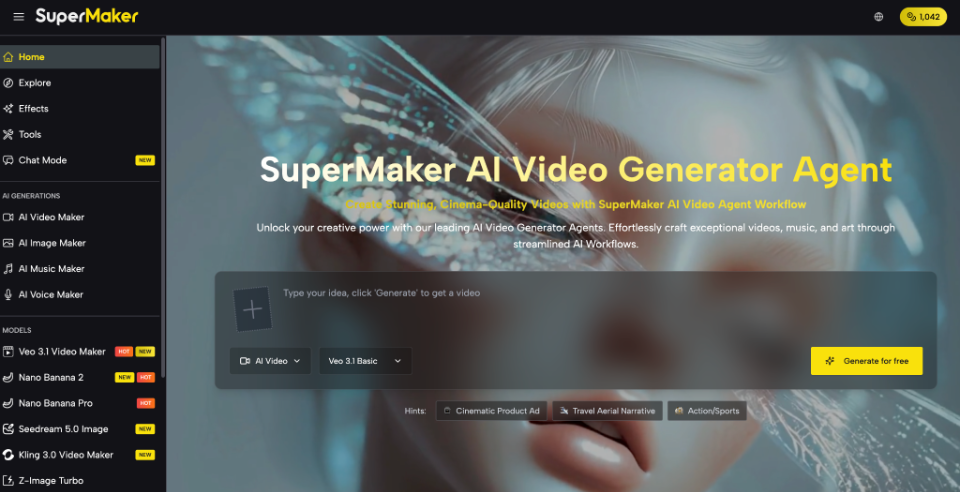
A practical test of an AI Video Maker might use one text prompt and one image-to-video task, then compare the required credits, aspect-ratio control, generation time, and MP4 export. The companion AI Image Maker can be tested with the same brand brief to see whether visual assets move cleanly into the video workflow.
Before publishing, review the asset in its final context rather than only inside the generation interface. Check captions, dates, names, logos, factual claims, transitions, and the way the opening frame may be interpreted without sound. Save the approved source and export together so later edits do not quietly replace a verified version with a fresh generation.
Compare Reliability Beyond the First Preview
Quality control should reflect the environment in which the work will appear. View the asset on a phone, confirm that essential text remains readable, and check whether the first frame still makes sense when separated from the article or campaign around it. If the subject involves a real person, event, product, or measurable result, confirm that the visual treatment does not imply evidence the project does not possess.
The team should also record the practical cost of the final asset: generations used, review time, manual corrections, and any specialist work added after export. In a reviewer comparing browser-based tools for a small marketing team, those notes reveal whether the process can be repeated responsibly. They also help future creators start from an approved brief instead of rebuilding the same decisions from memory.
Good Visual Systems Protect Human Judgment
The most useful review does not ask which tool has the longest menu. It asks how reliably a real user can move from a constrained brief to a file that fits the intended channel. The final review should therefore ask not only whether the asset looks finished, but whether its origin, limits, and intended use remain understandable to everyone who handles it.
Task-based testing produces advice readers can apply, exposes hidden labor, and gives teams a more durable basis for choosing creative software. Over time, this creates a library of decisions, references, and approved examples that improves consistency without reducing every project to the same visual formula. This discipline also makes future evaluation faster and more defensible.