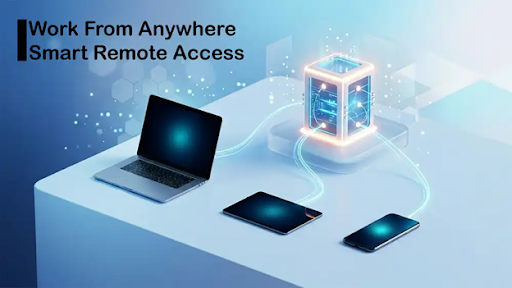
Work no longer happens in just one office, on one desk, or on one computer. People move between home, office, travel, and shared workspaces, and they still need the same tools every day. When users need stable access, admin control, and an always-on setup, many turn to Windows VPS hosting as a practical way to run a remote Windows environment without relying only on a local device.
Providers such as PerLod are part of that shift because they make it easier for users to keep a Windows system available whenever work needs to continue.
This change is not only about convenience; it is about keeping software online, avoiding downtime, and making daily work less dependent on one laptop or desktop.
Businesses, remote teams, traders, software users, and technical professionals all face the same basic problem, which is local machines are useful, but they are not always enough. A remote Windows environment gives them another layer of stability, flexibility, and control.
Why Local Devices Are No Longer Enough for Every Workflow
Relying on a single physical laptop or desktop used to be the standard, but it now creates unnecessary limits. If your local device breaks, runs out of battery, or needs to restart for an update, your workflow comes to a complete stop.
As people move between locations and rely on heavier software, keeping everything tied to one vulnerable piece of hardware is no longer the safest or most efficient choice.
Work is Now Spread across Many Places
People no longer work from just one desk. Teams, freelancers, and managers switch between home, travel, and the office constantly. Because of this, users need their files and software to be available everywhere.
A physical computer cannot always guarantee this; if it breaks, runs out of battery, or is left behind, work stops entirely.
Local Hardware has Real Limits
Laptops are great for mobility, but they rely on batteries and limited local storage. If you need a heavy program to run overnight, leaving a laptop on is risky. Furthermore, running trading platforms or heavy office tools can quickly slow down a personal device.
A remote Windows setup fixes this by running the heavy workload in the background, allowing your local device to simply act as the screen.
Reliability Matters More Than Ever
Missing a task because of a dropped connection or an offline app can cost time and money. Many professionals, like traders and business owners, need their software to stay active all day. Remote Windows environments are built for this exact purpose.
They keep your systems running even when you disconnect, letting you switch devices later without losing your open windows or stopping your work.
How Remote Windows Environments Support Flexible Access
A remote setup removes the physical boundaries of a traditional office or home desk. Instead of carrying your primary work computer everywhere, you can log into your exact same workspace from any device with an internet connection.
This freedom ensures that whether you are traveling, working from a café, or using a borrowed laptop, your desktop, files, and applications are always exactly where you left them.
The Same Windows Space from Anywhere
A remote Windows environment gives you consistency. You can start your day on a home desktop, check in from a café laptop, and finish on a tablet while traveling. You never have to start over because you are connecting to the exact same desktop, files, and apps every time.
It Helps Users Stay Productive
Remote access keeps you working through hardware issues. If your computer breaks or runs out of space, you don’t have to stop; you can simply borrow another device, log in, and pick up right where you left off. It also lets you use older, slower devices since the remote server handles all the heavy lifting.
Always-on Availability Changes How People Work
Many tasks, like overnight reports or automated syncs, take hours to finish. Doing this on a laptop is risky because it might go to sleep or lose power. A remote Windows environment stays active 24/7, even when you disconnect; you can start a task, log off, and check the results later.
Admin Control Makes Setups More Useful
Users want the freedom to install their own software and change settings to fit their workflow. While a shared office PC often blocks this, a remote Windows setup gives you full admin access, which allows you to completely customize your workspace to suit the specific tools you use every day.
Common Use Cases for Always-On Windows Servers
While remote access might sound like a highly technical tool, it solves very practical daily problems for all kinds of people.
From teams collaborating on shared business software to financial traders who cannot afford a single second of downtime, an always-on server is a highly versatile workspace. It simply provides a reliable, continuous home for tasks that need to keep running even when you step away from your screen.
Running Windows Applications Remotely
Many business tools are still built for Windows including accounting software, office tools, custom business systems, reporting apps, older enterprise programs, and industry-specific software. Some of these tools work best when they run in a stable Windows environment that users can reach from anywhere.
Instead of installing the same software on several devices, teams can keep it in one remote Windows setup. That can make access simpler and can reduce the problems that come from mismatched versions or scattered data.
Also, it helps when users need to access the same app while moving between locations.
Managing Business Tools from Anywhere
Small businesses and growing teams often use a mix of tools every day such as email clients, inventory systems, admin dashboards, spreadsheets, remote support apps, browsers, and internal platforms. Keeping all of that on one office PC is limiting and keeping it on personal laptops can become messy.
A remote Windows environment gives businesses a central working space that staff can reach when needed. This makes daily operations more flexible without forcing everyone to be highly technical.
Keeping Software Online All the Time
Some software is most useful when it stays active. Trading terminals, automation scripts, syncing tools, notification systems, and monitoring apps often need continuous uptime. If the local machine shuts down, the task stops. If the internet fails at home, the process may break.
That is why traders and time-sensitive users often depend on remote Windows environments. They want a system that stays connected and available even when their personal device is offline.
This helps reduce missed actions and gives users a steadier place to run important software.
Supporting Traders and Market Users
Many use Windows-based platforms and need fast, steady access during market hours. They may also use expert advisors, alerts, or tools that need to run without interruption. A local home computer can do that, but it is more exposed to power issues, restarts, and daily life interruptions.
A remote Windows system offers a more stable place to keep those tools active. The user can check positions, manage platforms, and reconnect from different devices if needed. For traders, the value is fewer points of failure and better continuity.
Testing Apps and Updates
Developers, QA teams, and technical users also rely on remote Windows environments for testing. They may need a clean Windows machine to try software, reproduce bugs, check app behavior, or verify how updates perform. Doing all of that on a personal computer is not always ideal.
A remote setup gives them a separate space for testing without affecting their main device. It can also make it easier to create a repeatable work environment. If one project needs a specific tool or version, the remote machine can be prepared for that purpose and kept separate from the rest of the user’s day-to-day work.
Accessing a Stable Desktop without Depending on One Machine
Some users do not need a heavy technical reason; they simply want a dependable Windows desktop that is always there.
That everyday use case is becoming more common. Remote Windows environments are no longer only for large companies or advanced admins; they are also practical for normal users who want a stable desktop they can trust.
What to Look for in a Stable Remote Windows Setup
Not all remote environments are built the same, so it is important to choose one that actually fits your daily workflow.
You want a setup that guarantees high uptime, provides enough performance so the remote desktop feels natural to use, and offers you full administrative control. Knowing which features matter most will help you avoid frustrating slowdowns and ensure a smooth, secure daily experience.
Strong uptime and dependable access: Look for reliable hardware and fast network speeds to ensure your connection is always smooth, responsive, and ready when you need it.
Enough resources for real work: Choose a setup with enough power for your specific tasks. It should have the right amount of memory and storage to run your daily software comfortably, plus the option to upgrade if your workload grows.
Admin access and software freedom: Make sure your setup includes full administrative control. This gives you the freedom to install custom business tools, trading platforms, or testing software without running into annoying restrictions.
Security should be simple and strong: Protect your environment by choosing a setup that includes secure logins, firewalls, and regular backups to keep your data safe and control who can access the system.
Support and provider quality matter: Choose a dependable provider, like PerLod, that offers strong support and clear guidance to make managing your daily server needs much easier.
Conclusion
Remote Windows environments are becoming essential because modern work is no longer tied to one place or one machine. People need to run apps from anywhere, keep tools online, manage work across devices, and avoid the weak points of relying only on a local computer. What used to be a niche setup is now a practical solution for many everyday tasks.
For businesses, remote teams, traders, software users, and technical professionals, the value is clear. A stable remote Windows environment can offer continuity, flexibility, and control in a way that local devices alone often cannot.
As workflows become more mobile and always active, that kind of access is not just helpful anymore; it is becoming a normal part of getting work done.