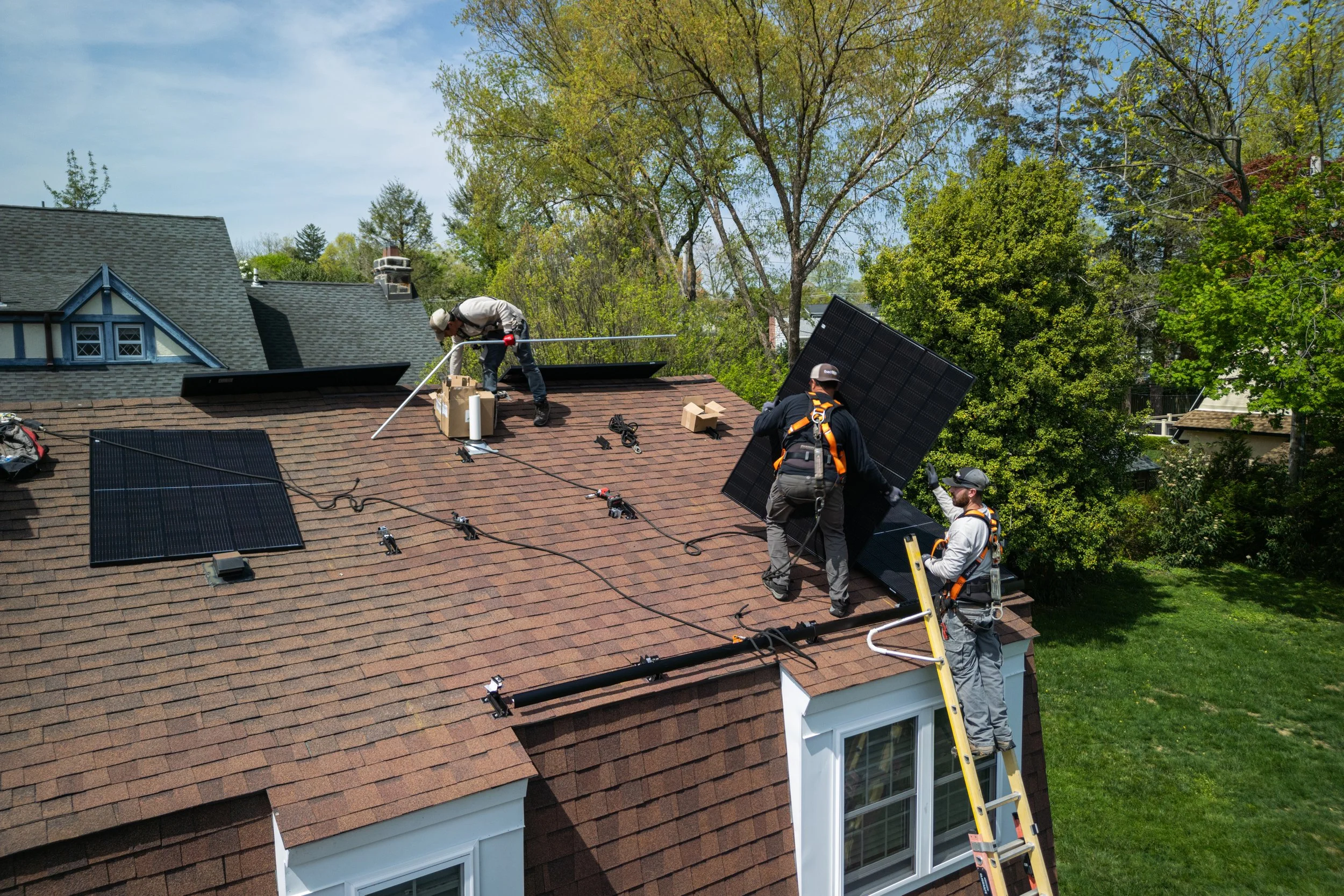
Small service businesses usually have more useful marketing material than they think. A plumber has repair photos. A decorator has room updates. A clinic has treatment-room images. A gym has class photos. A real estate agent has property shots. The problem is that most of those images sit in a phone gallery and never become content.
Short AI-assisted videos can help, but the best use is not loud animation. For a local service business, the goal is trust. The video should make a customer feel, “This company is careful, real, and easy to understand.”
The quick answer: start with one clear project photo, add only one simple motion, keep claims modest, and use the clip as a service explainer, local social post, or proof-of-work asset. After selecting the source image and writing a careful prompt, a browser-based image to video ai tool can handle the generation step while you focus on the message.
What Makes Service Business Video Different
Service businesses are not selling a product box. They are selling confidence. The customer wants to know whether the team will show up, protect their property, solve the problem, and communicate clearly.
That changes the creative rules.
| Source photo | Best video job | Useful motion | Avoid |
| Completed project photo | Show quality and finish | Slow push-in | Making the result look more perfect than it was |
| Work-in-progress image | Explain process | Gentle side pan | Showing unsafe or messy details |
| Team photo | Humanize the business | Subtle background depth | Overly dramatic effects |
| Shop, clinic, or office image | Build familiarity | Calm room movement | Adding fake customers or activity |
| Van, sign, or storefront | Local recognition | Slow reveal | Changing logos, phone numbers, or signage |
| Customer education graphic | Teach one point | Light focus shift | Distorting text or numbers |
The best clips are usually 5-8 seconds. Long enough to catch attention, short enough to stay practical.
A Simple Workflow for Local Teams
- Pick one customer question.
Do not make a general “about us” video first. Choose a specific question such as:
- What does a finished installation look like?
- How clean is the workspace after a job?
- What should customers expect before a visit?
- How does this treatment, repair, or setup work?
- What makes the team local and reliable?
- Choose one honest photo.
Use a photo that already communicates the point. AI motion should improve attention, not rescue a weak image. If the photo is blurry, cluttered, poorly lit, or contains private information, fix that first.
- Write a constraint-heavy prompt.
For service businesses, the prompt should protect reality.
Turn this project photo into a short 6-second service business video.
Keep the room, tools, logo, signage, materials, colors, and finished work unchanged.
Add only a slow, natural camera movement that highlights the completed result.
Do not add people, change the service outcome, alter text, or make the result look more expensive than the original photo.
The video should feel like an honest local business update.
- Review the result like a customer.
Ask:
- Does this still match the real job?
- Did any label, sign, face, number, or address change?
- Would a customer misunderstand what is being promised?
- Does the clip make the business look more trustworthy?
- Publish with a useful caption.
The caption should explain the service, not just say “new video.” Example:
A quick look at a recent hallway refresh. We kept the original trim, repaired the wall surface, and used a low-sheen finish for easier cleaning.
Video Ideas by Service Type
Home improvement
Use finished rooms, repaired surfaces, cabinet updates, flooring, lighting, or outdoor projects. Keep motion slow and make sure colors remain accurate.
Real estate
Use one room, garden view, street view, or property detail. Avoid fake renovations, staged objects that were not there, or exaggerated space.
Health and wellness
Use clinic rooms, staff introduction visuals, equipment explainers, or appointment preparation images. Avoid medical claims unless they are already approved and legally safe.
Beauty and personal care
Use treatment-room photos, salon stations, nail art, skincare setup, or hair result photos only with consent. Keep faces, skin tone, and final result accurate.
Education and tutoring
Use classroom photos, worksheets, whiteboard summaries, or study setup images. Do not change written content unless you plan to rewrite it manually afterward.
The Trust Checklist Before Publishing
- The source image is real and approved for marketing use.
- No customer’s private data, face, address, or license plate is visible without permission.
- Text, logos, numbers, and signage still match the original.
- The clip does not imply a guarantee, discount, certification, or result that is not true.
- The movement is subtle enough that the service work remains the focus.
- The caption explains context in plain language.
- The clip is saved in the right shape for the channel, usually 9:16 for short-form feeds and 1:1 or 4:5 for general social posts.
FAQ
Can a local business use AI video without looking fake?
Yes. Use real project photos, limit motion, and avoid changing service results. The more practical the source image is, the less artificial the final clip feels.
What kind of photo works best for a service business video?
A clean, well-lit photo with one clear subject works best. Finished work, process photos, storefronts, and educational graphics are usually easier than cluttered group shots.
Should service businesses use AI video for customer proof?
Only if the clip stays honest. It can support proof-of-work content, but it should not replace real testimonials, reviews, contracts, certificates, or before-and-after documentation.
How long should a local business AI video be?
For social media, 5-8 seconds is often enough. Use the caption to add details rather than trying to force every detail into the clip.
Can AI video change logos or phone numbers?
It can, which is why the final result must be checked carefully. If a logo, phone number, address, or certification mark changes, reject the clip.
What is the safest first use case?
Start with a completed project photo and a simple caption explaining what the work involved. It is practical, easy to review, and useful for social feeds.
Conclusion
AI video is most useful for small service businesses when it makes real work easier to notice. The winning formula is simple: one honest photo, one customer question, one restrained motion, and one clear caption.
Do that consistently, and a folder of forgotten project photos can become a steady stream of trust-building local content.
READ ALSO: Shein vs Temu vs Voghion: Which Platform Offers Better Value?